

Template Functions
- wp_head() -> This function fires the
wp_headhook which prints the header files which have been added to thewp_headaction by plugins and other things. We add it to include/display other header scripts in our template. -> in the head tag - wp_footer() -> This function fires the
wp_footerhook which prints the footer files which have been added to thewp_footeraction by plugins and other things. We add it to include/display other footer scripts in our template. -> before closing body tag - wp_body_open() -> This function fires the
wp_body_openhook which prints the data that has been added to thewp_body_openaction by plugins and other things. -> after opening body tag - body_class() -> Echos the classes to add to the body according to the page. ( WP function )
- post_class() -> Same as the body_class, just the class is according to the post being displayed ( to be used for post container element )
- get_header() -> includes the header.php if no param is provided. If param is provided it loads header-{$param}.php file
- get_footer() -> includes the footer.php if no param is provided. If param is provided it loads footer-{$param}.php file
We can take advantage of different functions when creating a theme, for example
We can create a theme in two ways,
We can just use the index.php and include all the page and functionalities there.
Or we can take advantage of the template hierarchy to separate our theme into different components.
Under those ways we can take advantage of functions like
- is_home() -> tells us if the current page is the home page for our site
- is_single() -> tells us if the results a single post
- have_posts() -> tells us if the result holds any posts
- is_search() -> tells us if the search is used
- is_page() -> tells us if it is a page post type
- is_404() -> tells us if it is a 404 error page
We can take advantage of these kind of functions to even add every of our theme functionality to a single index.php file.
Child themes?
Child themes can be used to add layout/template or modify the current one in the parent by overriding it.
Instead of changing files in parent themes (-> the changes would be lost if you update the theme) we must instead create a child theme for the same and update the code there.
How to create a child theme?
Suppose we have the parent theme twentytwenty
To create a child theme for the same, we must follow the steps below;
- Create a directory with the name
{parent-theme}-childin the themes directory (twentytwenty-childin our case) - Add styles.css in it and add the header as below
/*
Theme Name: Child Theme For Twenty Twenty
Template: twentytwenty
*/
- These are the required theme headers to create a child theme, we must specify the parent theme name in the Template field.
- We must also create a functions.php file and enqueue the styles of both parent and child theme. Parent theme style.css is not automatically loaded. We can use the
handlefrom the parent theme to enqueue the scripts
add_action( 'wp_enqueue_scripts', 'parent_child_enqueue' );
function parent_child_enqueue() {
    $parenthandle = 'twentytwenty-style'
    $theme = wp_get_theme();
    wp_enqueue_style( $parenthandle, get_template_directory_uri() . '/style.css',
        array(),
        $theme->parent()->get('Version')
    );
    wp_enqueue_style( 'child-style', get_stylesheet_uri(),
        array( $parenthandle ),
        $theme->get('Version')
    );
}- Activate the theme from the Appearance -> Themes section.
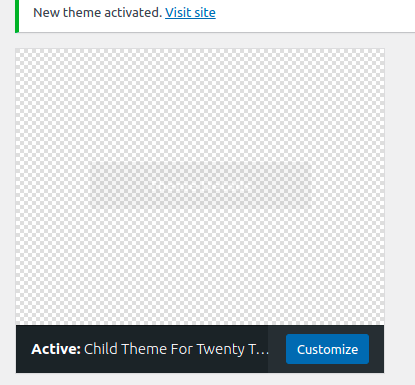
Now all the files we create in our child theme directory, which overrides the functionality of the parent theme would be automatically used by wordpress.
For example, if we create an index.php file, the WordPress would use this index.php instead of the one from the parent folder.
Also we can use wp_get_theme()->get(‘–code-here–‘) to get some theme arguments, for example Name, Version, Template etc
In case of functions.php, this file is not overridden when you create a function.php inside child theme, instead wordpress first loads the child-theme/functions.php and later on loads the parent-theme/functions.php,
Both of the functions.php are included and used by wordpress. -> https://i.imgur.com/EG2zjSm.png

If we create a same function name inside both child and parent theme, it would throw an already declared error so that we must keep this in mind at the time of defining functions.
- get_template_part() -> This can be used to include template files into your code.
SOME REFERENCES :
- To include the header, use get_header()
- To include the sidebar, use get_sidebar()
- To include the footer, use get_footer()
- To include the search form, use get_search_form() -> easily get basic search form.
- To include custom theme files, use get_template_part()