

How to create a Page Template?
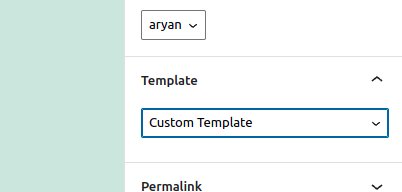
We can create Page Template in WordPress as well, page tempalte are the ones which are selected while we are editing a post in the right sidebar, we have an option named Template
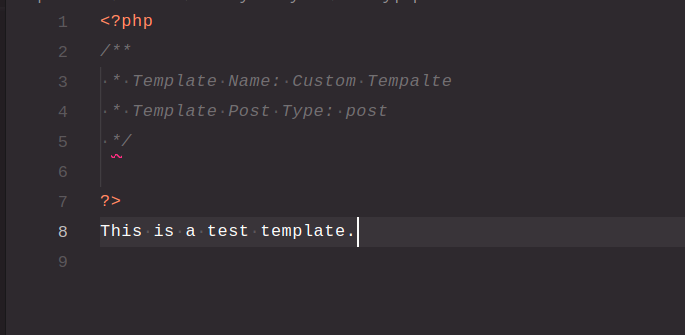
We can create a custom Page Template in our theme by create a new php file inside our theme directory and adding this header information to the file.
/**
 * Template Name: Custom Template
 * Template Post Type: post
 */
Template Name: -> It will hold the name for the template which will be displayed in the post sidebar while editing
Template Post Type: -> We need to add the slug of the post types where this template should be available, only the listed slugs would be able to access this Template.
How to dequeue a stlye?
We can dequeue a style very easily by using the function wp_dequeue_style, we just have to pass the handle name.
One thing to keep in mind that we should hook it to the action with a higher number in priority as we first need it to be enqeueued before we try to dequeue it.
add_action( 'wp_enqueue_scripts', 20 ); // using priority 20 as default priority is 10, if parent-theme is using priority 20, then we must add greater priority accordingly.

function dequeue_parents_css() {
	$parent_css_handle = 'test-parent-handle'; // we should add the parent handle which parents functions.php is using to enqueue/register stylesheet
	wp_dequeue_style( $parent_css_handle );
}