WordPress HTTP API
In any web application we must require to fetch some data from other URL or servers for various data.
In PHP we used the cURL or file_get_contents() for this.
WordPress provides us with its own APIs to handle such use cases.
Commonly used HTTP Methods:
- GET -> GET method is used to get data from the server.
- POST -> POST method is used to post data to server -> for e.g. posting contact forms or other forms.
- HEAD -> HEAD method is same as the GET method, just the major difference that it is used to only fetch the headers of the page -> it would not get the body of the page or the content of the page -> We can use it for the caching purpose to check if our cache is expired or is still valid -> In this way we may save data bandwidth as we will not be loading the whole content just the headers from the request
On the other hand, this would cost us two requests as first HEAD request would be sent and then GET request would be sent but if we summarize it, it would lead us to the benefit as this would help in the caching of the page.
Response Codes
- 2xx -> Successful request
- 3xx -> Redirected request
- 4xx -> Client error [ auth or maybe not found ]
- 5xx -> Server error [ incorrectly configured / resources are full ]
Getting the data using the WP HTTP API
The function wp_remote_get( $url, $args )
is used to get data from a url with the GET method -> $args parameter is optional and can have certain informations ( as an array ) :
- user-agent
- headers
- cookies
- body
and other parameters which would be introduced later
This would return us an array consisting of many information like the headers, body, and other metadata from the url.
To fetch our body or the content from the response of the url we can do the following
$data = wp_remote_get( 'http://example.com' );
$body = wp_remote_retrieve_body( $data );
In the same way for other information we can use other functions WordPress provides us to fetch certain data from the response.
- wp_remote_retrieve_response_code() -> Give us the response code of the request
- wp_remote_retrieve_headers() -> Give us the headers from the response
- wp_remote_retrieve_body( ) -> Gives us the content from the response
- wp_remote_retrieve_header($response ,$name ) -> Retrieve a single header on the basis of name.
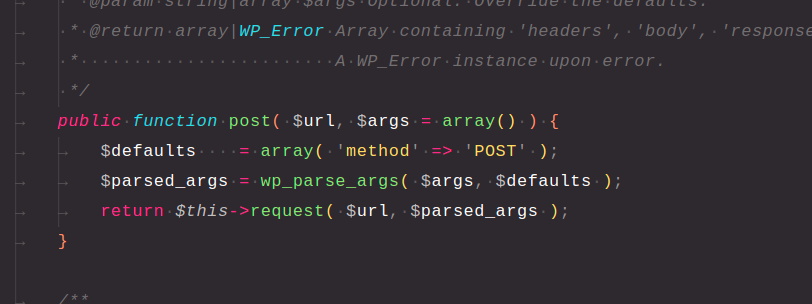
The function wp_remote_post( $url, $args ) is used to POST data to a url. For this everything is nearly same as the wp_remote_get() except that we may also want to post data to the server -> That can be achieved with the help of the $args parameter in the function.
$body = array( 'user' => 'aryan' );
$args = array( 'body' => $body );
$data = wp_remote_post( 'http://example.com', $args );
HEAD Request
HEAD contains data on whether the content has been updated or not, we should limit the number of time we use GET, it can be for bandwidth saving, rate limiting, many reasons, this is where the HEAD method helps us -> It would only get the headers from the webserver, so that we can check if the content is updated and can only use GET when it is required.
$response = wp_remote_head( 'https://www.example.com' );
This would return us data with the headers only.
GET and POST these methods internally use the $http->request() method, they just provide the METHOD as the request method in the args array.