

REVISION STARTS
WordPress Plugin Development
The basic plugin format -> To create a plugin we must add a folder or a php file inside the wp-content/plugins directory
We must name the file inside the plugins folder same as the folder-name -> as wordpress would first search for the file name inside the folder.
The file should contain the plugin header data, the plugin header data looks like
/**
 * Plugin Name:       My Basics Plugin
 * Plugin URI:        https://example.com/plugins/the-basics/
 * Description:       Handle the basics with this plugin.
 * Version:           1.10.3
 * Requires at least: 5.2
 * Requires PHP:      7.2
 * Author:            John Smith
 * Author URI:        https://author.example.com/
 * License:           GPL v2 or later
 * License URI:       https://www.gnu.org/licenses/gpl-2.0.html
 * Update URI:        https://example.com/my-plugin/
 * Text Domain:       my-basics-plugin
 * Domain Path:       /languages
 */
The minimum required plugin header for a plugin to be identified as a plugin :
/**
 * Plugin Name:       Demo Plugin
 */
Only one file should have the plugin header else we would be getting multiple plugin entries in the table‘
Now the WordPress system works on the principle of Hooks -> Actions and Filters
What are hooks?
Hooks allow us to modify the funcitonality and the code or data of wordpress without changing the core data.
There are two type of hooks
- Action Hook
- Filter Hook
Actions -> These are used to trigger some functions on some actions -> Actions do not return the data -> They are used to execute some code on some functionality
Filters -> They are used to modify the data, for example WordPress uses many filters so that user can interact with the data before it is rendered or inserted to the database.
Plugin related hooks:
register_activation_hook()
it is run when a plugin is activated, we can use it to initialize our plugin options and data to the database
register_deactivation_hook()
it is run when a plugin is deactivated from the WP dashboard, we can use it to clear any temporary data stored by our plugin
register_uninstall_hook()
it is run when a plugin is uninstalled, we can use it to remove the extra options or data we added to the database when initializing the plugin, which is no longer required
Custom Post Types
Some of the default post types : -> Posts, Pages, -> All these are post types
We can create a custom post type via a WP CLI command -> this would help us generate the basic code for registering the post type
wp scaffold post-type --prompt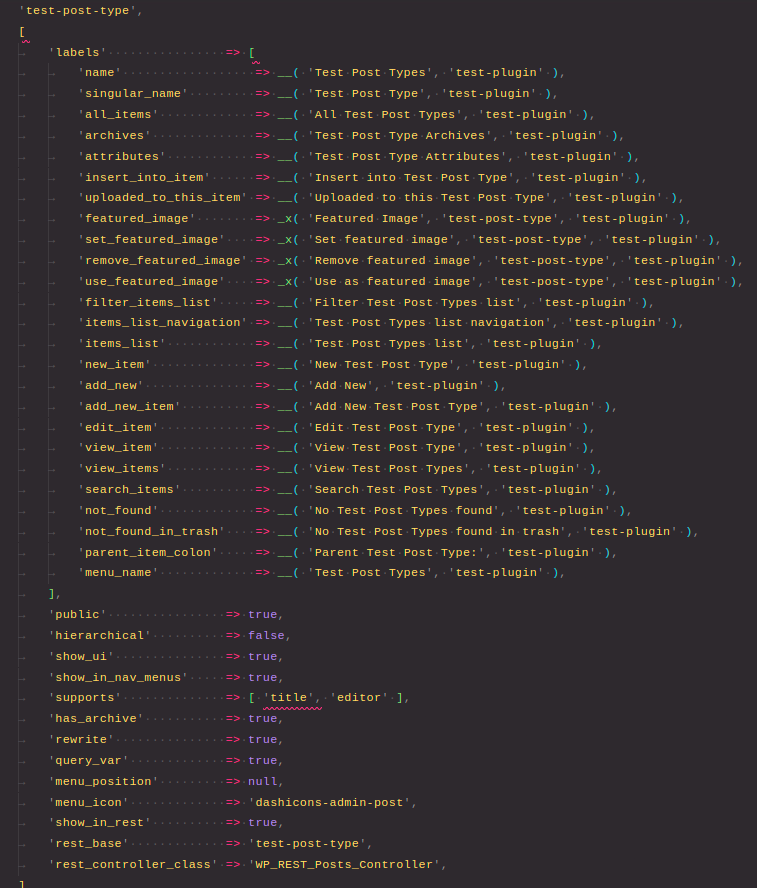
The function used to register the post type ->
register_post_type($post_type, $args = array())
Now the same thing is there for taxonomy -> we can register custom taxonomy [ taxonomy is like category -> to group posts into categories ]
There is a similar command for taxonomies like there was for post type
wp scaffold taxonomy --promptThis would generate the sample code to register the custom taxonomy.
The function used here is -> register_taxonomy();
WP_Query
WP_Query is the class which can be used to interact with the WordPress data [ posts basically, as wordpress works on the concept of posts -> most of the things in wordpress are posts ]
To use WP_Query we can simply create an instance of WP_Query and use it
$query = new WP_Query( $arguments );We can pass different arguments here to change our result on the basis of the parameters
For e.g.
$arguments = array(
	'p' => 123,
);
$query     = new WP_Query( $arguments );
This would give us a post with the id 123