

Custom Post Types
What are custom Post Types?
WordPress works on the logic of Post types, for example
As we see in the wordpress in admin back-end, Posts, Pages, -> All these are post types
How to create a custom post type?
We can create a custom post type from the wp cli
wp scaffold post-type --promptThis command will start the process of creating a new custom post type and prompt us for all the required information like slug, name, plugin etc.
Default post-type arguments:
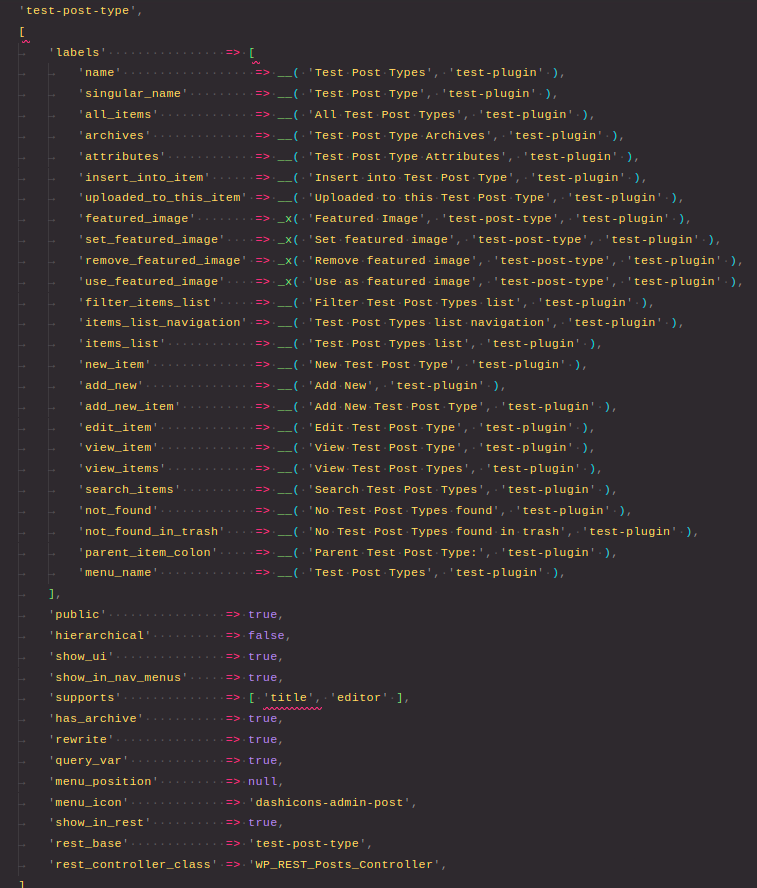
register_post_type($post_type, $args = array())The first parameter of the function accepts the post-type slug and the second parameter aceepts an array of arguments
- We define the
labelsin the array these labels are used at different locations according to their names public-> It states that if our post-type would be publicly availablehierarchical-> It states if our post-type would be hierarchical i.e. parent child structure like pages.show_ui-> It states that if our post-type would be available in the admin uishow_in_nav_menus-> Whether to show our post-type in nav menussupports-> What kind of features our post-type would support for e.g.'title', 'editor', 'comments', 'revisions', 'trackbacks', 'author', 'excerpt', 'page-attributes', 'thumbnail', 'custom-fields', and 'post-formats'has_archive-> Can our post-type show archives (list of posts in it)menu_position-> Menu position for our post-type in admin ui. Check menu position list heremenu_icon-> allows us to change the menu icon in front of the post-type
Custom Taxonomy
What are taxonomy?
Taxonomies are methods to categorise/classify content and data. For e.g., by default wordpress provides Categories and Tags taxonomies.
We can create our own custom taxonomies by the following command
wp scaffold taxonomy --promptThis command will start the process of creating a new custom post type and prompt us for all the required information like slug, post-type, plugin etc.
Default taxonomy arguments:
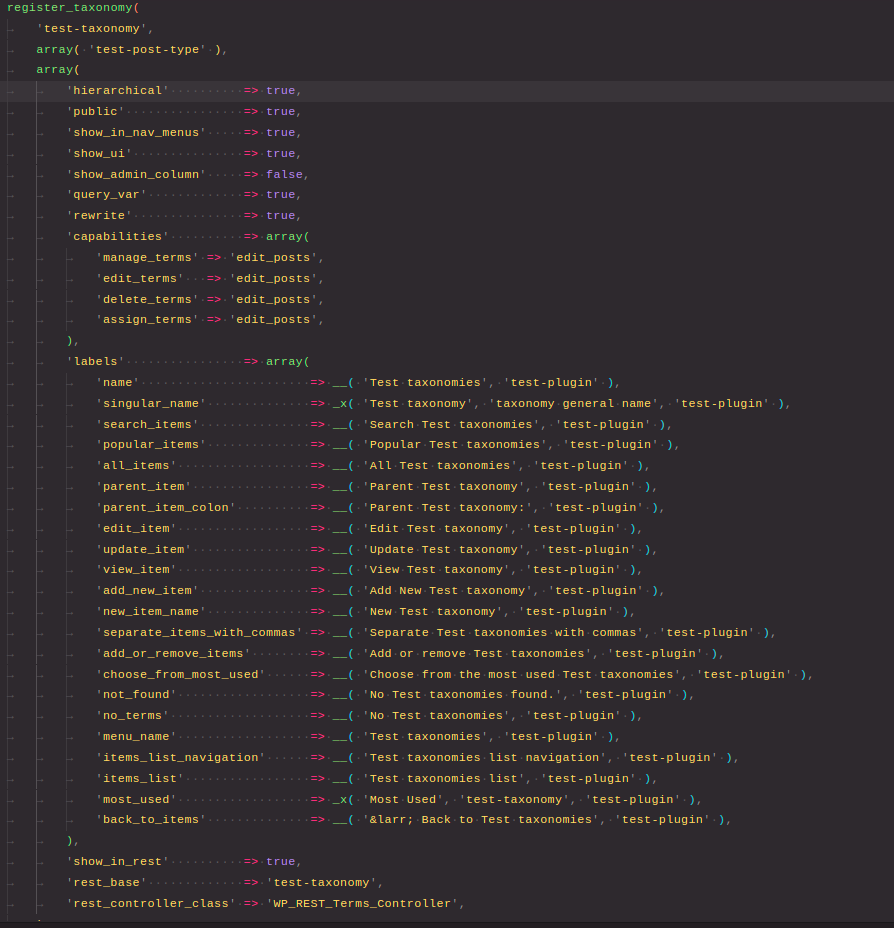
- The first parameter accepts the taxonomy slug
- The second parameter accepts an array of the post-type which would this taxonomy be assigned to
- The third parameter accepts an array of arguments
hierarchical-> it states that would our taxonomy support hierarchical format like parent child format.public-> would our taxonomy be publically visible to usersshow_in_nav_menus-> Would our taxonomy be shown in the navigation menusshow_ui-> Will our taxonomy be able to managed using the ui option present in the admin barshow_admin_column-> whether a taxonomy column be visible on the post-type table screencapabilities-> array of capablities of which user is allowed to complete action on this taxonomylabels-> labels to be used at different location for this taxonomy
- to view our new custom taxonomy and custom post types from public url we must flush re-writes, to do that we can assign at plugin activation to flush rewrites
flush_rewrite_rules();How to check if a taxonomy already exists?
taxonomy_exists( 'taxonomy_name' );It will return a bool result telling us if the taxonomy exists or not
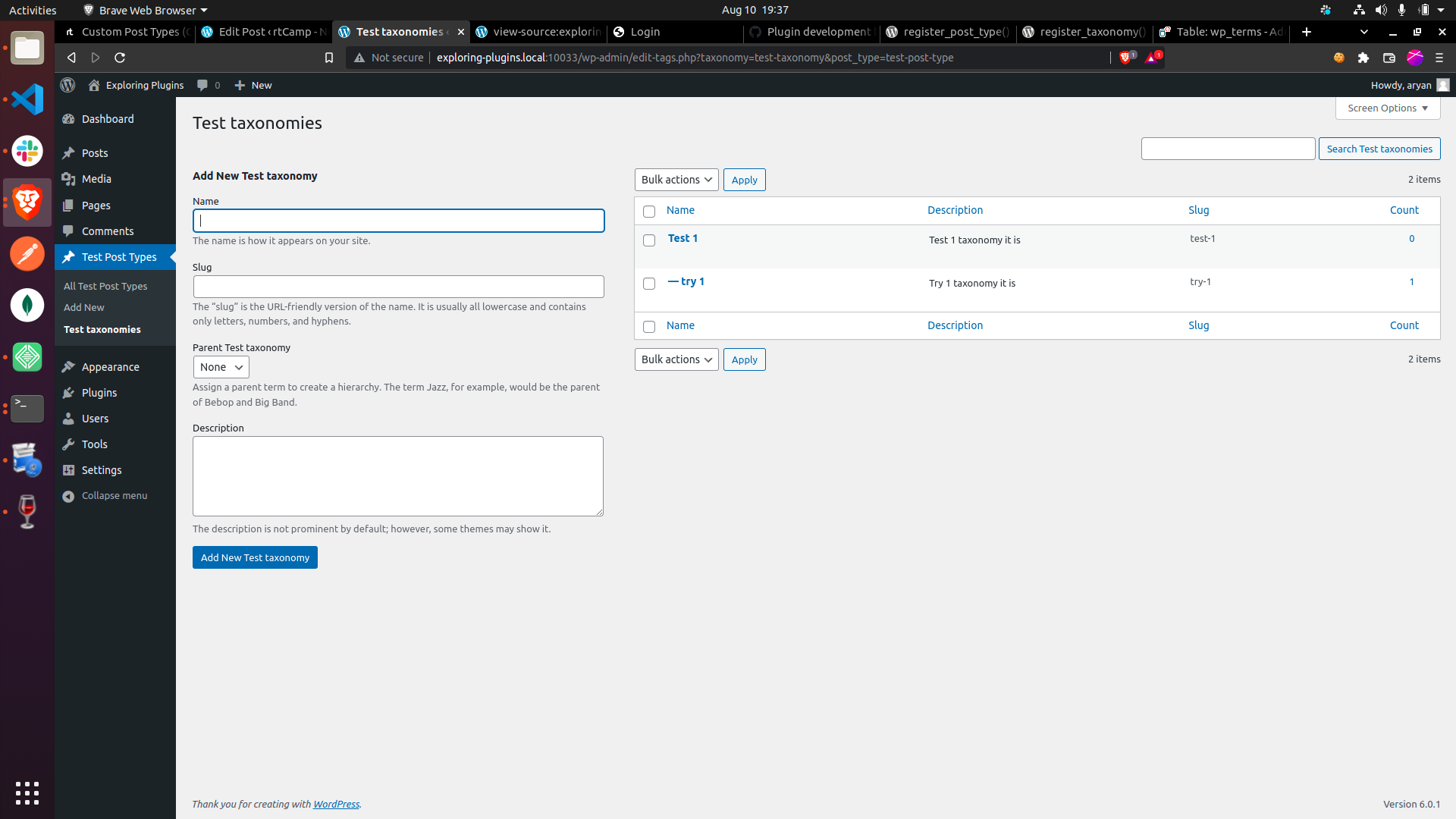
Created custom hierarchical taxonomy
Render block filter
add_filter( 'render_block', function( $block ){
	$file = fopen( WP_PLUGIN_DIR . '-logs.txt', 'a+' );
	fwrite( $file, '[' . date( 'D, d M y H:i:s' ) . '] Block filter called : ' . wp_json_encode( $block ) . "\n" );
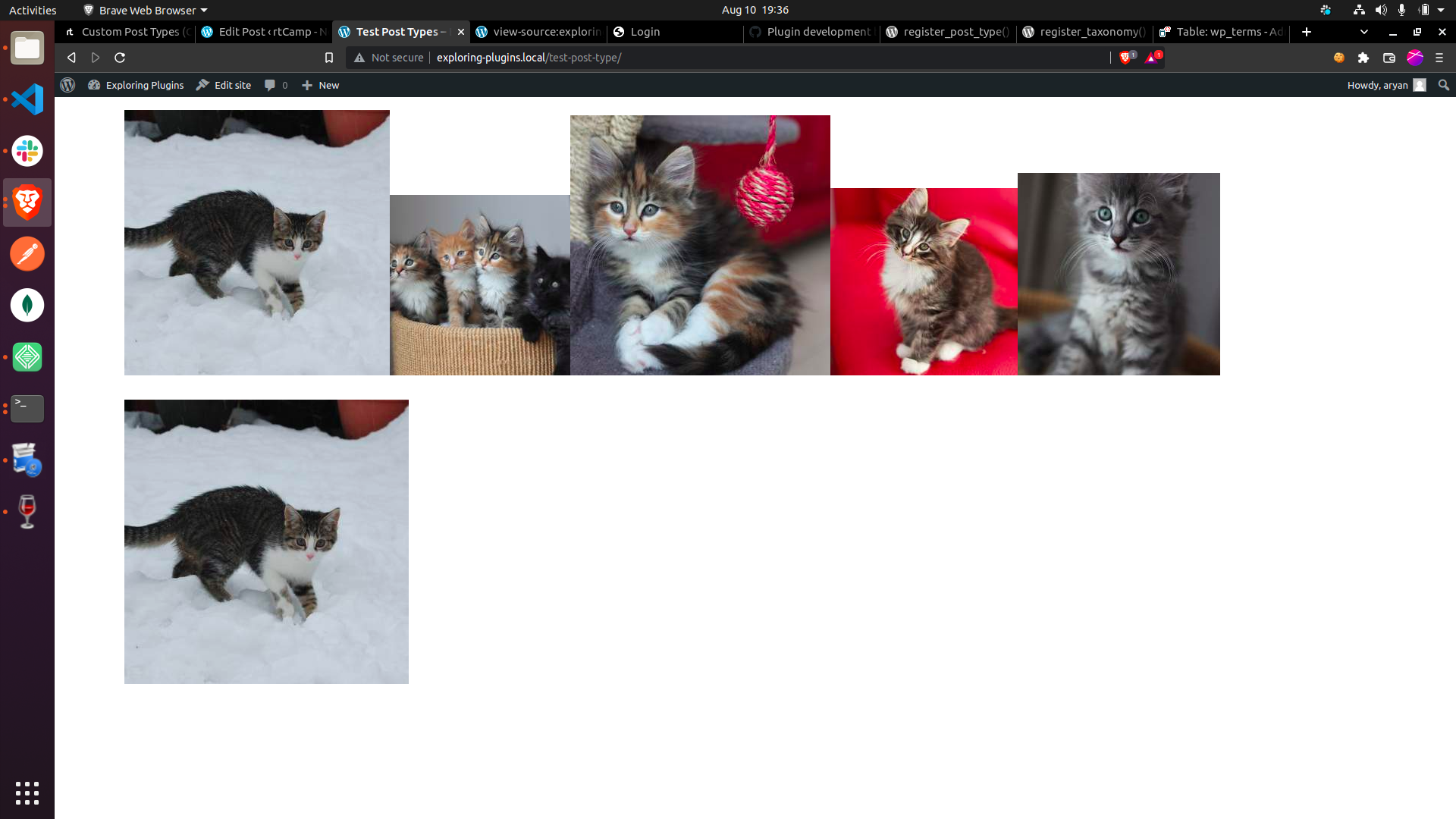
	return '<img src="https://placekitten.com/' . rand( 200, 400 ) . '" />';
});
This code would modify the block data rendered everywhere. In backend we only get to see the block modifiers, so it won’t affect the backend. But it would replace the whole front-end with the images of kitten, every block would be replaced by the images of kittens as the front-end is loaded block based so the whole page we would be seeing the photos of kittens.
Some important points to keep in mind
- Follow proper naming conventions for both post-type and taxonomy as they can clash with others when working on a production site with large number of plugins or themes, ( name and slug must not be too generic )
- Never use wp_ prefix to ensure forward compatibility as wordpress uses the wp_, and it can add something in future which may clash with your current used data.
- Always use proper hooks and filter so that it would be easy for another developer to solve conflict or add additions to your plugin