

Transients
Where are transients stored?
Transients are stored in the wp_options table in wordpress by default.
Whenever we create a transient the transient create two rows in the wp_options table
- _transient_timeout_{transient_name} -> The expiration timestamp is stored
- _transient_{transient_name} -> The value of the transient is stored in this row
What will happen if we set the transient without an expiration first and then again set the same transient with a expiration value?
A: This will delete the transient and recreate it and add the expiry row.
Rewrite Rules
What are rewrite rules?
Basically in WordPress every request is sent to index.php, but we do not see that in our browser url bars? We see links like https://example.com/movie/iron-man even though this directory/file doesn’t even exists, how does is process it?
All of this is done with rewrite rules, they are rules defined which would rewrite the url data to other specified url, in our case index.php
WordPress works totally on the principle of rewrite rules and it is handled using PHP only, not all the rules are not written to the .htaccess.
Default permalink structures available in WordPress
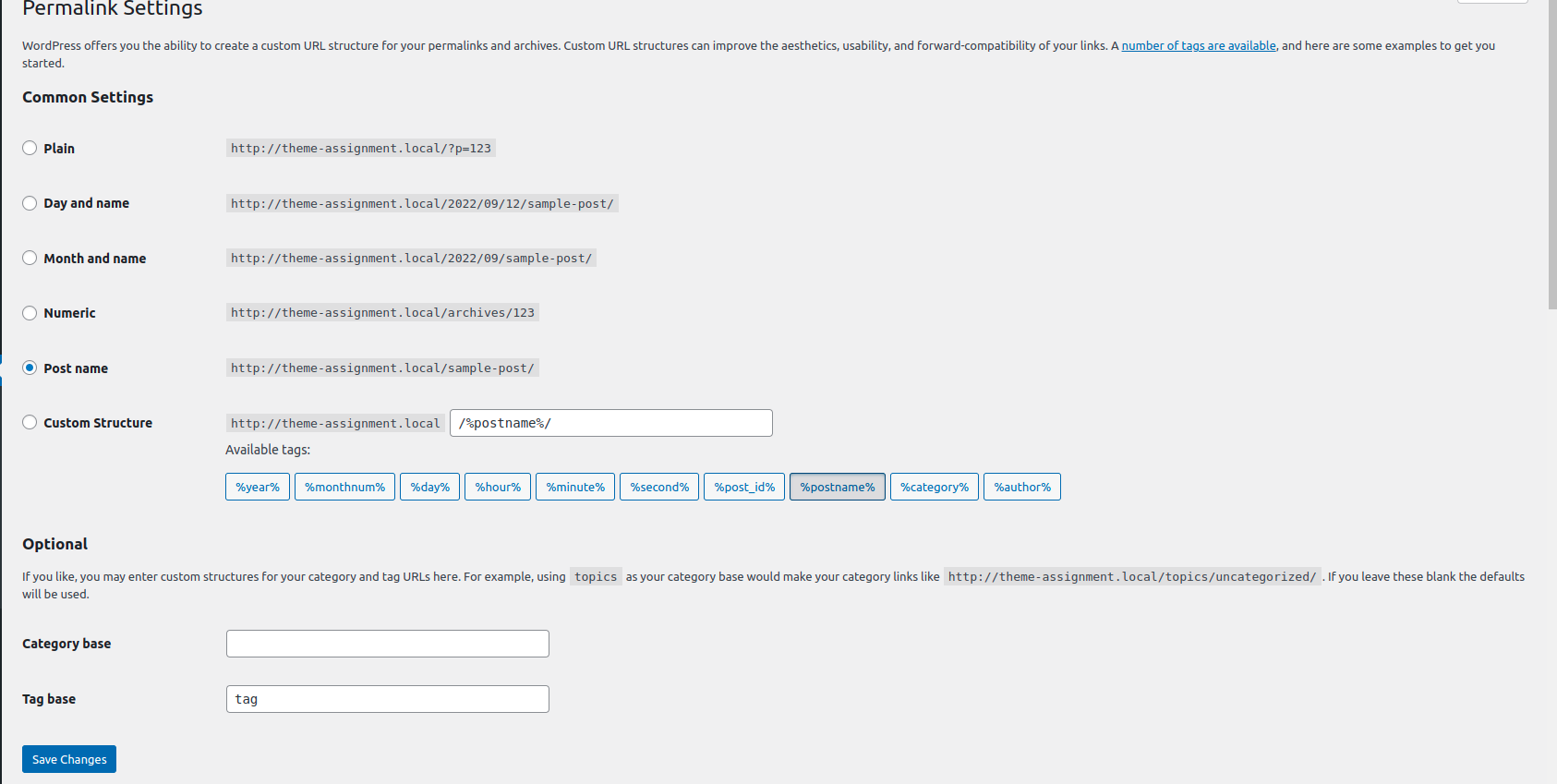
By default WordPress gives us these permalink to customize, there are some pre-defined settings for e.g. Plain, Day and Name, Month and Name, Numeric, Post Name
Then comes the custom structure where we can use the variables such as %year%, %monthnum%, %day%, %hour%, %minute%, %second%, %post_id%, %postname%, %category%, %author% to create our own personalised permalink, we can add separators or add prefix etc.
These are valid for all the post-types on our site except page and attachments. or we can say these are applicable to posts, taxonomies and custom post types
How to configure rewrite for custom post types?
When registering our custom post type, a parameter rewrite is added under the arguments in the register_post_type() function.
It was assigned to true or false, if it was set to false, WordPress did not allow us to modify the slug for it.
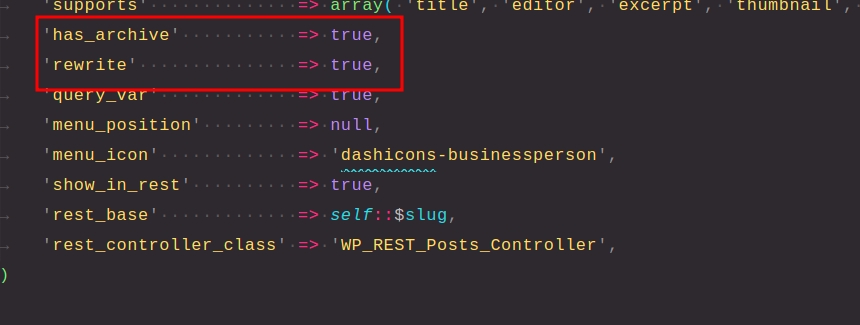
Now there are other values for this rewrite parameter except true or false
By the Function documentation, we can see that the rewrite can be passed as a boolean or an array
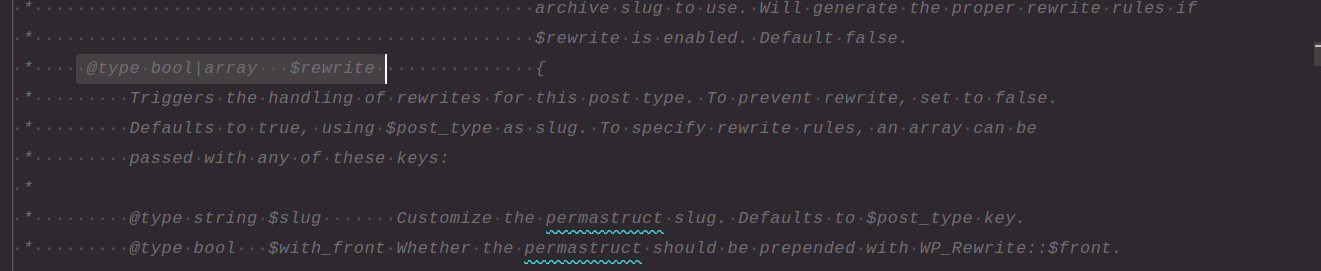
In this array we can define the slug to be used in the rewrite API for our post-type and the second thing would be $with_front -> what this variable does is that if we have added a prefix in our permalink for e.g. prefix

If the $with_front is set to false, the rewrite rule would ignore this /prefix/ and generate the rewrite url without that prefix, just only with the slug and the format for it.
For e.g.
'rewrite' => array(
	'slug' => 'movie',
	'with_front' => false,
),
This would generate link like this http://theme-assignment.local/movie/test-movie-2-2/
The slug movie can be changed easily by passing the slug variable in the array
Now if we want our movie archive page to display a different slug, we can take use of the has_archive parameter of the args array in register_post_type(), the documentation for that function goes like the follows

The accepted values are boolean or string, if we pass a string to it the slug for the archive for this page would be used as the passed string.
For e.g.g
'has_archive' => 'moviezz',This would set the archive page slug to moviezz
AFTER CHANGING THE CODE, WE HAVE TO FLUSH THE REWRITE RULES TO GET THEM INTO ACTION
Going to http://theme-assignment.local/moviezz shows nothing, but after we flush the permalinks, the archive page would be accessible here.
Why do we need to flush the rewrite rules?
The generation of the rewrite rule is a time and memory consuming process, that’s why rewrite rules are not generated with every request, instead they are stored in the database and used from there, to get them into the database we need to flush them, flushing basically refers to deleting them and recreating them in the database.
Where are rewrite rules saved?
Rewrite rules are saved inside the wp_options table, under the option_name -> rewrite_rules
Where is the current permalink structure stored?
The current permalink structure is also saved inside the wp_options table, under the option_name -> permalink_structure