

REST API
There are many times when we need to access the data from inside our site from the front end or to be integrated into other sites, so we need the data without the visual tags -> Data without the <html> tags and all, -> for this WordPress provides us with REST API.
WordPress allows us to interact with all type of data in our site -> post types, taxonomies, meta information, etc. -> It provides us with different end points to do so. The REST API accepts and response in the JSON data -> as JSON is widely supported in different programming languages.
Routes & Endpoints
Base url for Rest API
WordPress supports two type of requests:
1. When the pretty permalink is enabled -> https://example.com/wp-json/
2. When the pretty permalink is not enabled -> https://example.com/?rest_route=/
Sending a GET request to the base URL would give us a list of routes and the endpoints available on those.
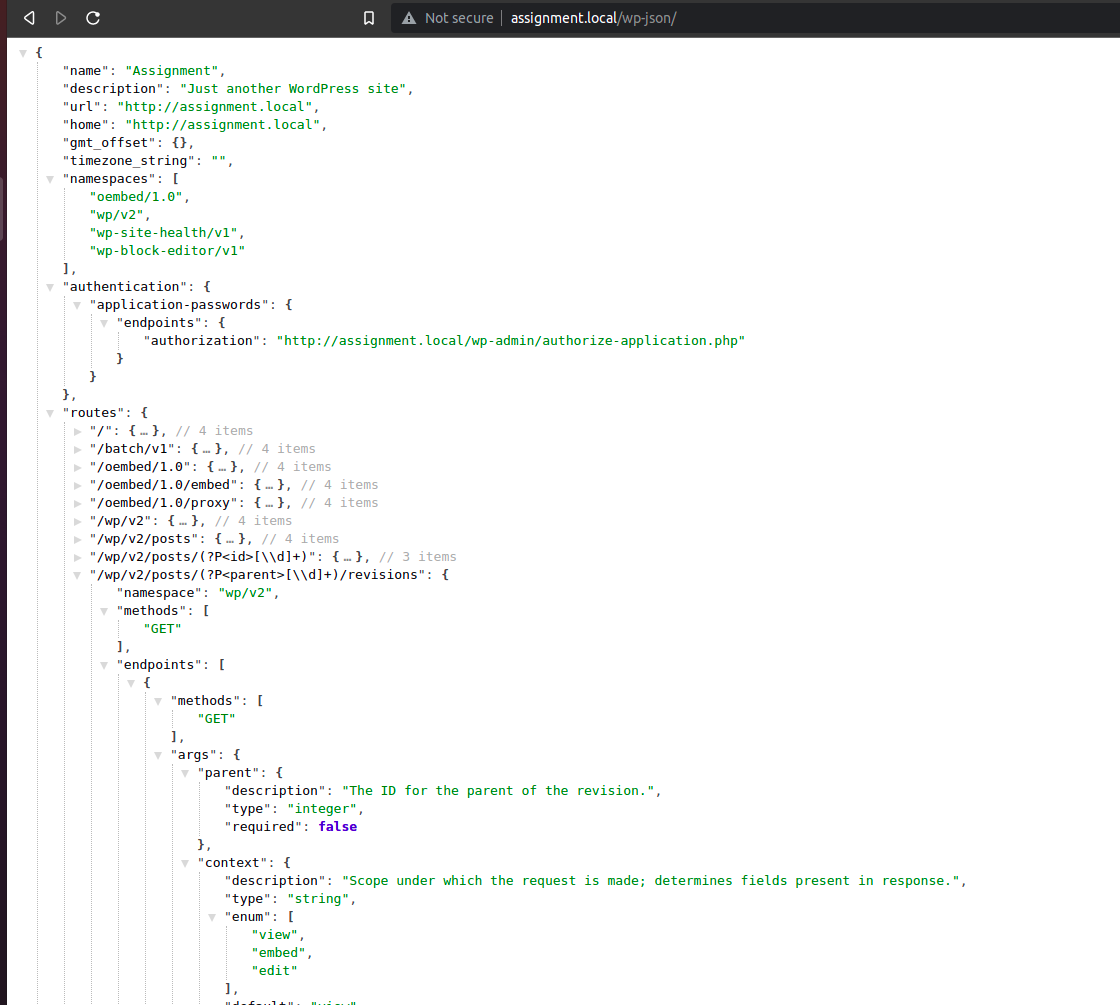
Requests
When we hit an endpoint on WordPress API the data we send to it and the whole request is processed via the class WP_REST_Request. The object and the data is stored inside the properties $method, $params, $headers, $body, $route, $attributes, $parsed_json, $parsed_body
Response
We can manipulate the data returned from this API via the class WP_REST_Response.
Schema
The schema defines the data and the format of data the API would accept
Global Parameters
_fields
While some endpoints in the REST API may contain huge data, for example the posts page -> we can specify it to the REST API about which data we want it to return, we can use the _fields query parameter to do so
For example, if we only want the id and author of the posts, we can do it
http://assignment.local/wp-json/wp/v2/posts?_fields=id,author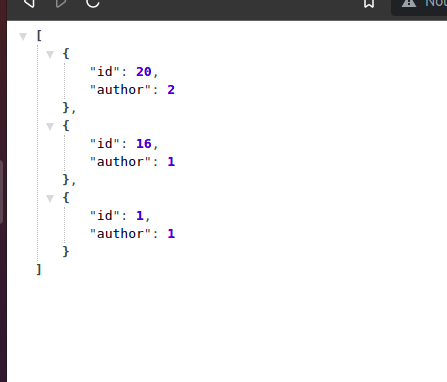
If we send incorrect fields it will just ignore, it won’t throw any error, we can also get blank response if all the fields are invalid 😛
We can also send nested fields via . -> meta.key
_embed
When requesting data via the REST API, it returns most of the additional data as another link to the REST API response, we have to send a request to that link to get that particular data, to reduce the number of requests the REST API provides us with an _embed method which can embed the information in the current request, for example if we want the information about the author of any post,
http://assignment.local/wp-json/wp/v2/posts?_embed=author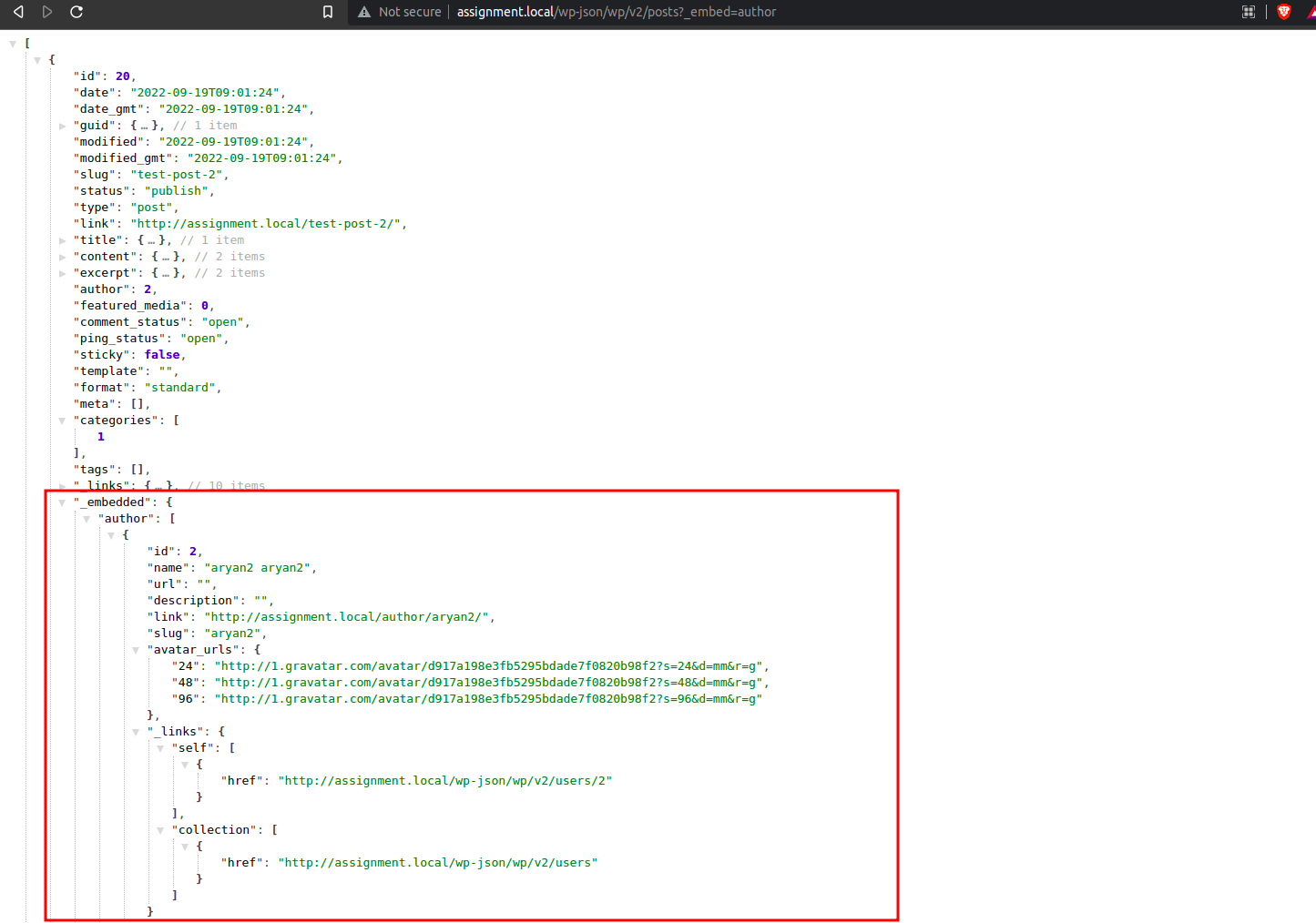
_method
There can be some cases when the SERVER may not support sending different HTTP methods, in that case we can send _method to override the method property.
Alternatively we can send X-HTTP-Method-Override header to override it as well.
For example, a POST request to /wp-json/wp/v2/posts/42?_method=DELETE would be sent to the DELETE method.
_envelope
There can be some instances where server/client may not be able send/recieve the data in headers or other places, sending _envelope will return the headers, statuscode and the body all three in the body of the response
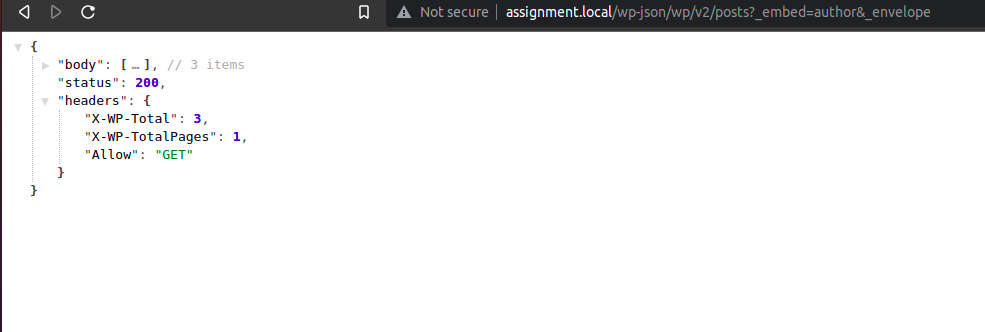
_jsonp
There can be some instnces where the client may not support cross-domain requests, the url can be loaded via script tag.
For e.g.
<script>
function testJsonP( data ) {
  console.log( data );
}
</script>
<script src="http://assignment.local/wp-json/wp/v2/posts?_embed=author&_jsonp=testJsonP"></script>
This would return
