WP CLI
Creating Custom Commands
WP CLI gives us ways to add custom commands to its interface.
WP CLI has the function WP_CLI::add_command() where the first parameter is the command name and the second parameter is a callable, a function, class or closure.
In the second parameter we can pass anything, we can pass a functions name like
WP_CLI::add_command( 'test', 'test_command' );

function test_command() {
	WP_CLI::error( 'TEST OUTPUT' );
}
Secondly, we can pass a closure
WP_CLI::add_command(
	'test',
	function() {
		WP_CLI::error( 'TEST OUTPUT' );
	}
);
Or we can pass a whole class here
WP_CLI::add_command(
	'test',
	'Test'
);

class Test{

	function command1(){
		WP_CLI::error( 'Command 1' );
	}

	function command2(){
		WP_CLI::error( 'Command 2' );
	}
}
Now in the passing class method, what happens is that the WP_CLI would register all the functions as different commands. for example, from the above code, these commands would be registered
wp test command1
wp test command2
Text formatting functions
WP_CLI provides us functions to send error/success messages as well.
WP_CLI::success( 'Success message' );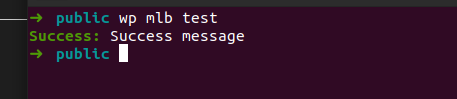
WP_CLI::error( 'Error message' );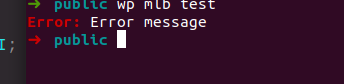
WP_CLI::warning( 'Warning message' );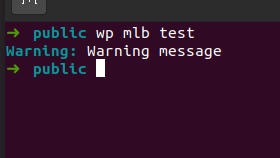
Doc comment for WP CLI commands
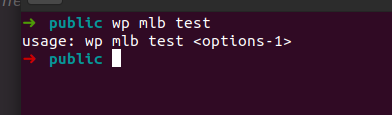
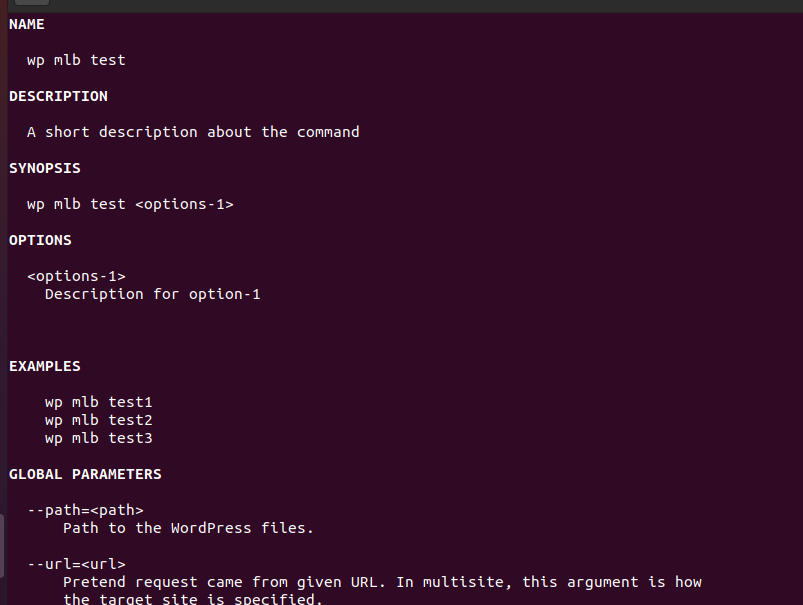
We should add commands above the functions for the WP CLI commands as the WP_CLI takes the help and other usage statements from the comments. A sample format for the comments would be
/**
	 * A short description about the command
	 *
	 * ## OPTIONS
	 *
	 * <options-1>
	 * : Description for option-1
	 *
	 * [option-2]
	 * : Description for option-2
	 *
	 * [option-3]
	 * : Description for option-3
	 * These option description show in the usage block of the wp_cli
	 *
	 *
	 * ## EXAMPLES
	 *
	 *     wp mlb test1
	 *     wp mlb test2
	 *     wp mlb test3
	 *  add sample commands here
	 *
	 * @when after_wp_load
*/<options-1>is a required positional argument. Changing it to<options-1>...would mean the command can accept one or more positional arguments.[--type=<type>]is an optional associative argument which defaults to ‘success’ and accepts either ‘success’ or ‘error’. Changing it to[--error]would change the argument to behave as an optional boolean flag.[--field[=<value>]]allows an optional argument to be used with or without a value. An example of this would be using a global parameter like--skip-plugins[=<plugins>]which can either skip loading all plugins, or skip a comma-separated list of plugins.
They also show up inside the help menu for the WPCLI command