What it does
WordPress lets you pick a template for each page, but the Pages screen never shows which one. To answer "which pages use the Full Width template?" you have to open every page.
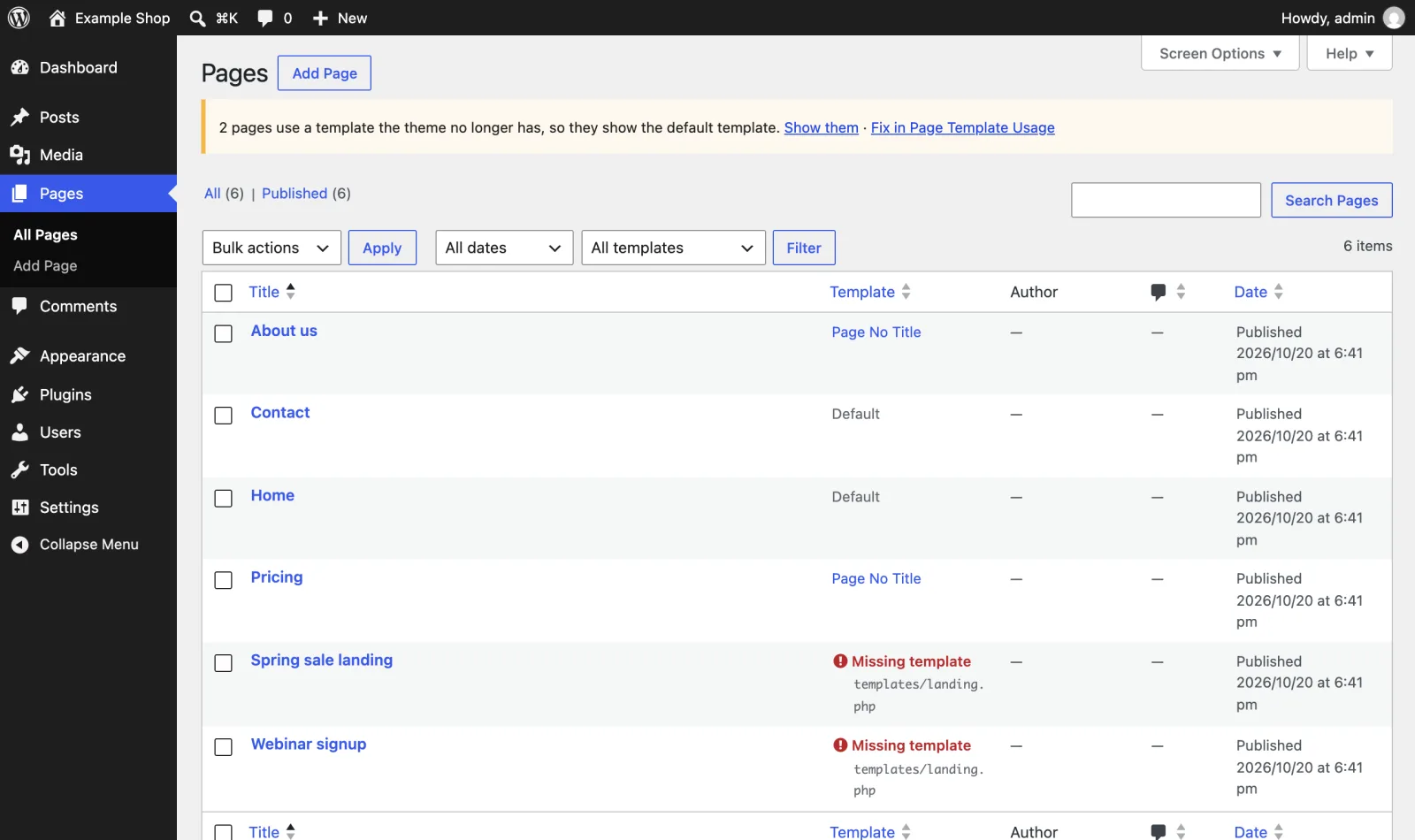
Page Template Usage adds a Template column to the Pages list and a template filter above it.
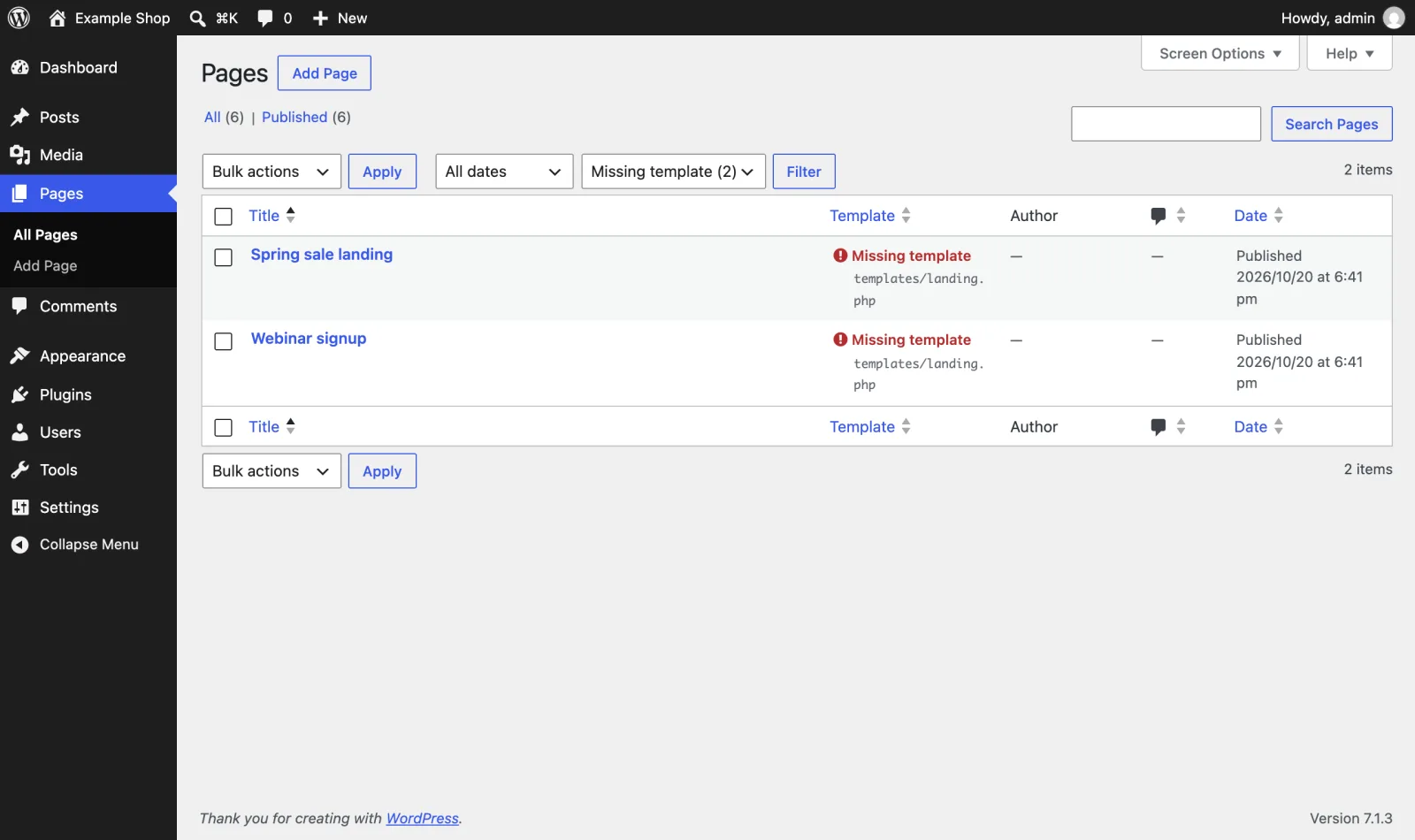
- The column shows the template name. Click it to see every page that uses the same template.
- The filter lists every template the theme offers, with the number of pages using each one. A count of 0 means the template is unused.
- Click the column heading to sort pages by template.
- Missing templates are shown in red. If you switch themes or delete a template file, pages that used it fall back to the default template without any warning. This plugin lists them so you can fix them.
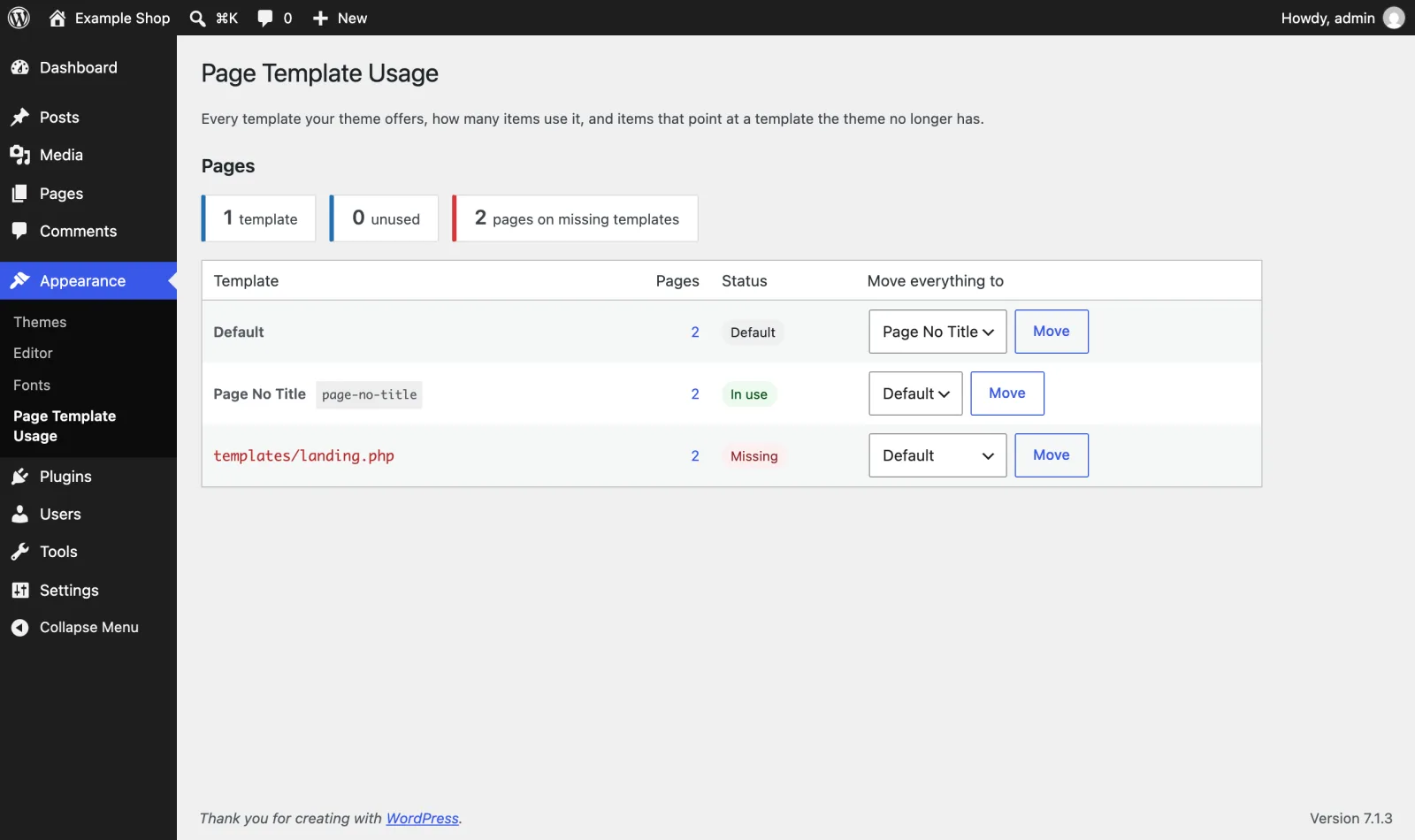
Appearance > Page Template Usage shows every template on one screen: how many pages use it, which templates are unused, and which pages point at templates that no longer exist. Move every page off a template in one click, for example from a missing template to the default one, or from an old template you want to delete. Works with:
- Classic themes (PHP page templates, including
Template Post Typefor posts and custom post types). - Block themes (custom templates from
theme.jsonand templates created in the Site Editor). - Any post type that has templates.
Free and open source under the GPL. No pro version, no upsells, no ads in wp-admin, no tracking. And it stays that way.
WP-CLI
wp page-template-usage list(add--status=missingto see only problems)wp page-template-usage reassign missing defaultmoves every page on a missing template to the default one.
No settings and nothing stored in the database. Deactivate it and it is gone.
Install
Upload
- Download page-template-usage.zip (v2.0.0).
- In wp-admin, go to Plugins > Add New Plugin > Upload Plugin and choose the zip.
- Click Install Now, then Activate.
WP-CLI
Install and activate the latest release in one command:
wp plugin install https://github.com/aryanjasala/page-template-usage/releases/download/v2.0.0/page-template-usage.zip --activateCompatibility
| WordPress | PHP | Status |
|---|---|---|
| WordPress 7.1 | PHP 8.3 | Tested |
| WordPress 6.9 | PHP 8.3 | Tested |
| WordPress 6.6 | PHP 7.4 | Tested |
Questions
Why does a page show "Missing template"?
The page was saved with a template that the active theme does not provide any more. This usually happens after a theme switch, or after a template file is renamed or deleted. WordPress shows the default template for that page. Pick a new template in the editor, or in Quick Edit, to clear it.
Does it slow down the Pages screen?
No. It runs one grouped count query when the screen loads and caches the result for a minute.
Does it work on posts?
Yes, if your theme offers templates for posts. The column only appears on post types that have templates, or that have posts pointing at a template.
For developers
Every default, limit and message has a filter, and every change fires an action. The full reference, with constants, abilities and WP-CLI, is in REFERENCE.md.
page_template_usage_post_typesFilter- Post types to look at. Types without templates are left out on their own( string[] $post_types )
page_template_usage_sortableFilter- Return
falseto turn off sorting by template, which joins postmeta and is slow on very large sites( bool $sortable, string $post_type ) page_template_usage_capabilityFilter- Who may open Appearance > Page Template Usage. Default
edit_pages( string $capability ) page_template_usage_move_limitFilter- Items one Move click handles. Default 500( int $limit, string $post_type )
page_template_usage_show_missing_noticeFilter- Whether the list screen warns about items on missing templates( bool $show, string $post_type, int $missing )
page_template_usage_before_reassignAction- Fires before items move, from the screen or WP-CLI( string $post_type, string $from, string $to, int $limit )
page_template_usage_reassignedAction- Fires for every batch of items moved( string $post_type, string $from, string $to, int[] $post_ids )
Changelog
- v2.0.0
- ChangedRename to Page Template Usage for WordPress.org (breaking change)
- v1.3.0
- FixMake the abilities visible to MCP agents
- NewAdd abilities so AI agents can audit template usage and move items off missing templates
- v1.2.0
- NewAdd filters for the move limit and the missing-template notice, and an action before a move
- FixMove templates in batches with a check per post, and keep the counts cached
Every release, with notes: GitHub releases.